

How do I create my own custom template?
 Templates Guide⏱️ 2 min read
Creating custom templates saves time for documents you send frequently:
- Upload a document that you want to turn into a template
- Configure all the signature fields and recipient roles
- Instead of clicking 'Send', look for the 'Save as Template' option
- Give your template a clear, descriptive name
- Add a description to help you remember what the template is for
- Click 'Save' - your template will now appear in the Templates tab
Create Custom Template:
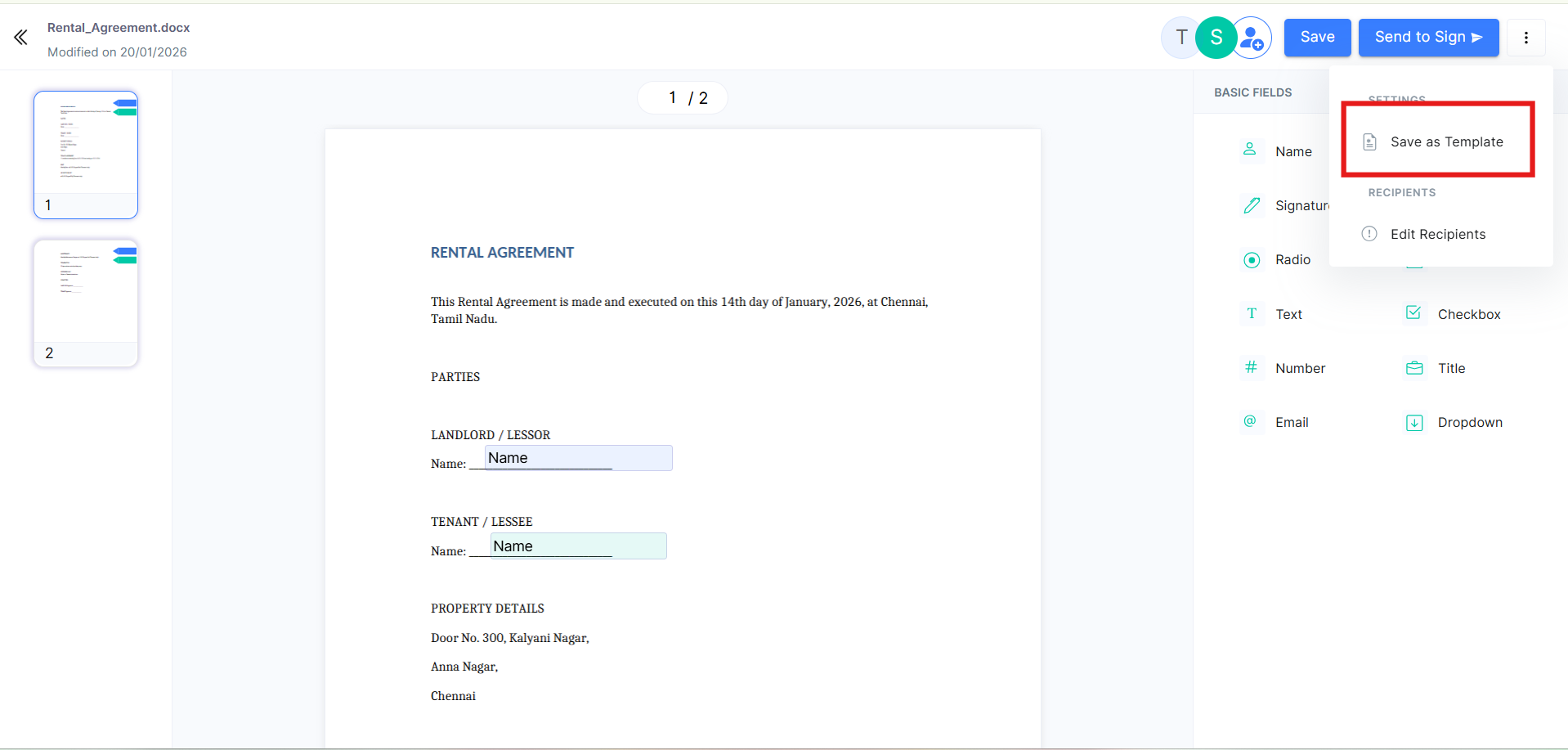
Click the 'SAVE as TEMPLATE' button in the top right corner to access your account.
 Best Practice: Create templates for any document type you send more than three times. This saves significant time in the long run.
You can edit or delete your custom templates at any time from the Templates section.