

How do I set the signing order for multiple recipients?
 User Guide⏱️ 2 min read
When you have multiple signers, you can control the order in which they receive and sign the document:
- After adding all your recipients, enable the 'Signing Order' toggle
- Assign each recipient a number (1, 2, 3, etc.)
- Recipients will receive the document in numerical order
How Sequential Signing Works:
- Recipient #1 receives the document first
- Once #1 completes their signature, #2 is automatically notified
- This continues until all recipients have signed in order
Add Signing order:
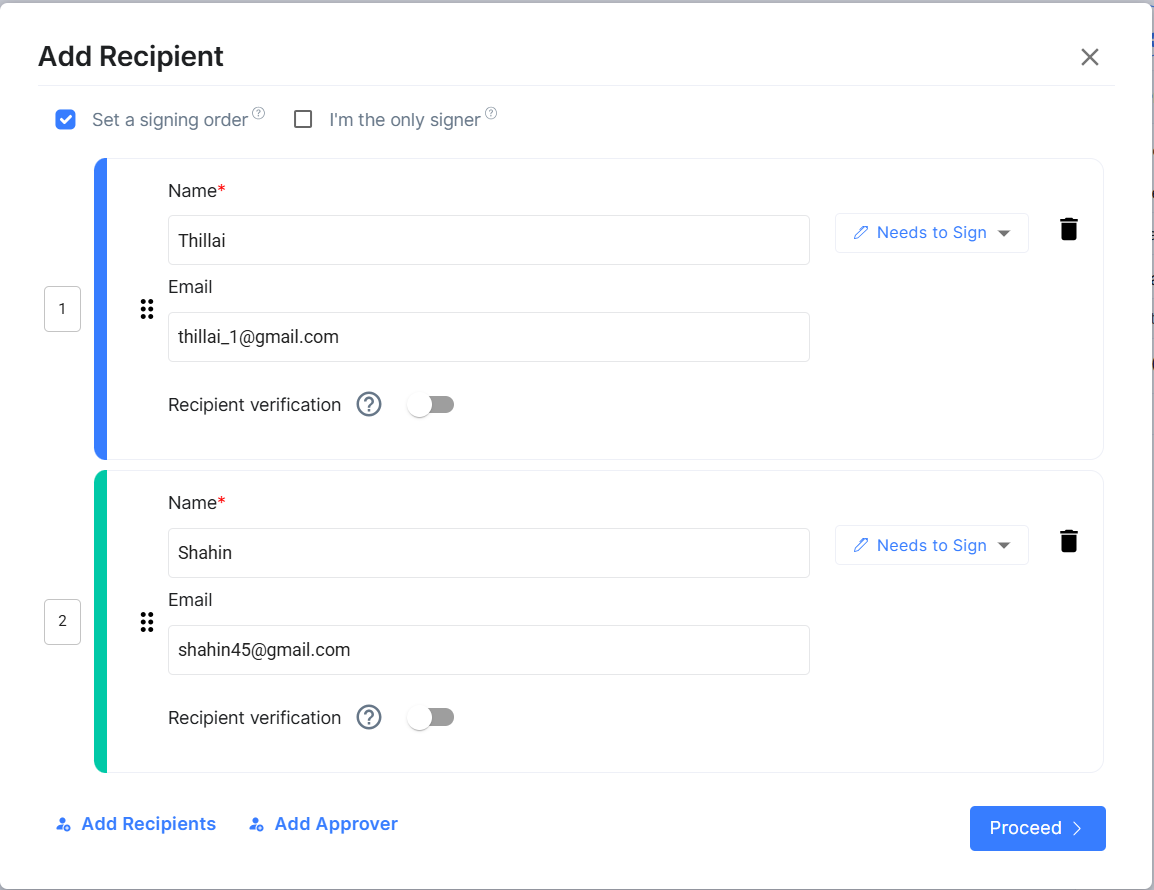
 Use Case Example: This is perfect for approval workflows where a manager must approve before team members can sign, or for hierarchical signing processes in contracts.