

How do I place signature fields on my document?
 User Guide⏱️ 2 min read
After setting up your recipients, you need to place signature fields on the document:
- Click 'Proceed' after configuring all recipients
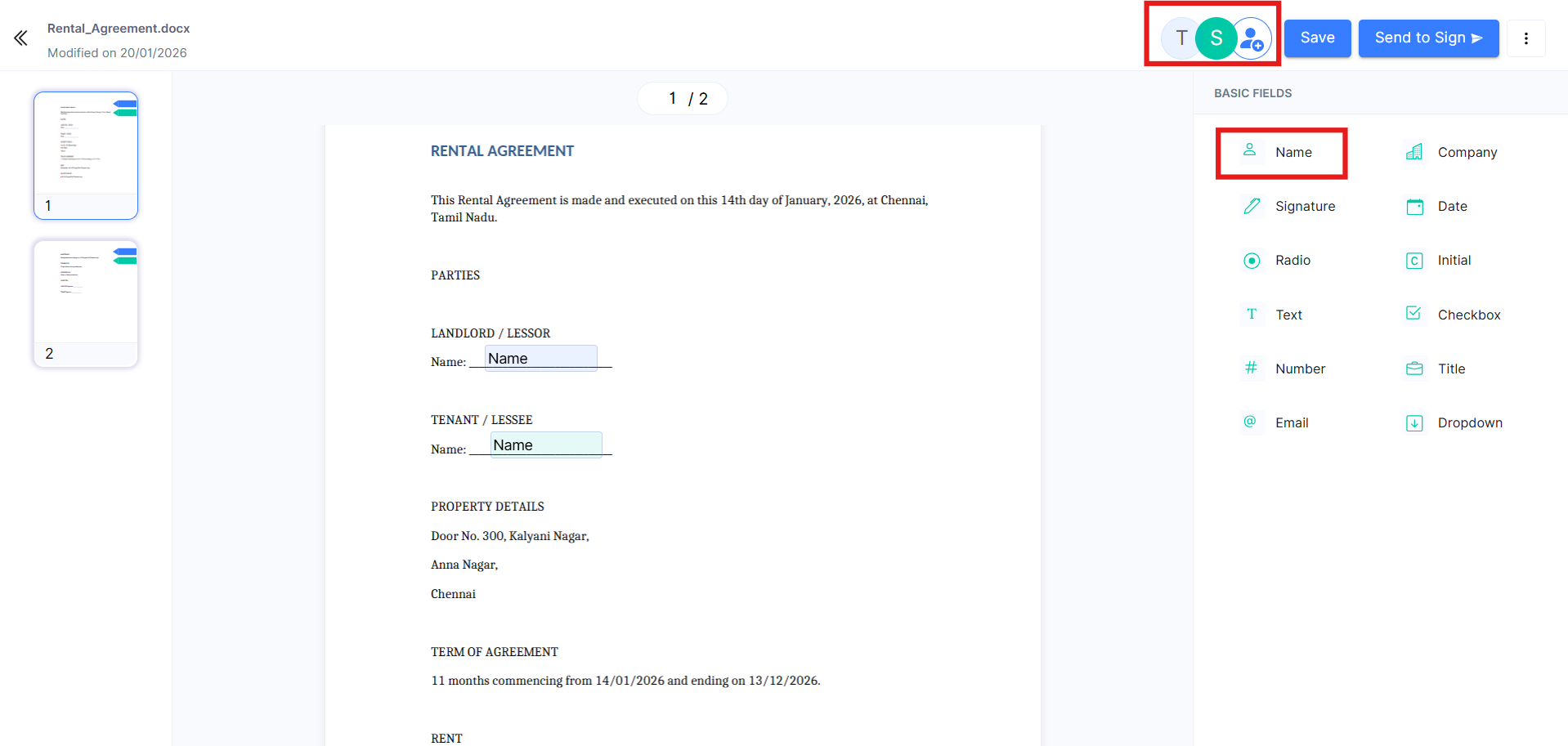
- At the top right, you'll see the initials of each signer
- Click on a signer's initials to select them
- Drag and drop the required fields onto the document:
- Signature field: For the recipient's signature
- Name field: For typed name
- Date field: For signature date
- Text field: For custom input
- Checkbox: For agreements or selections
- Repeat for each signer by selecting their initials and placing their fields
- Once all fields are placed, click 'Send'
Place signature fields:
 Best Practice: Place fields where signatures are typically expected on the document. You can resize fields by dragging the corners, and delete them by clicking the X icon.