

How do I track the status of documents I've sent?
 User Guide⏱️ 2 min read
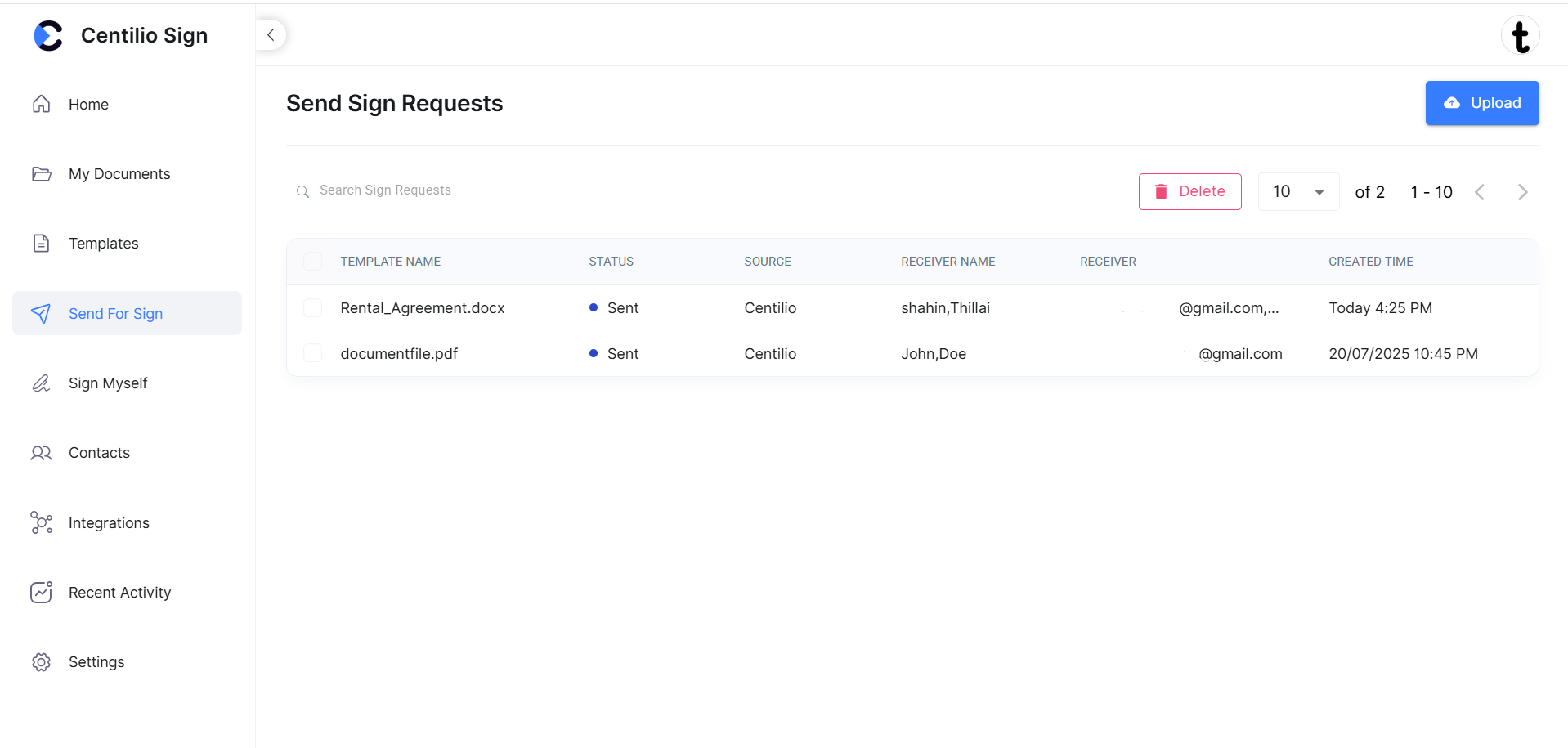
The 'Send for Sign' tab provides comprehensive tracking of all documents you've sent:
- Navigate to the 'Send for Sign' tab in the sidebar
- View the list of all documents with their current status
- Status indicators include:
- Sent: Document has been sent and is awaiting signatures
- In Progress: One or more recipients have signed, but not all
- Completed: All recipients have signed the document
- Click on any document to view detailed information
Detailed View Includes:
- Who has signed and who is pending
- When each action was taken
- Audit trail with timestamps and IP addresses
- Options to download the completed document
Status of the document:
 Real-Time Updates: The status updates automatically as recipients take action, so you always have the latest information.